Better captions,
written down.
Guides, data and creator tactics for shipping short-form video that keeps viewers watching.
AI video caption generator
Add captions to a video and export a burned-in MP4 for TikTok, Reels and Shorts.
ExploreAuto subtitle generator
Generate subtitles from video and download SRT, VTT or a burned-in MP4.
ExploreHardcode subtitles into video
Burn subtitles into an MP4 or choose a sidecar caption file.
ExploreClosed captions vs subtitles
Choose the right delivery for social, players, and accessibility.
ExploreBest subtitle fonts
Compare readable fonts, weights, strokes, and mobile-safe styles.
ExploreFree subtitle converters
Convert SRT, VTT, ASS, JSON, and more in your browser.
ExplorePlatform caption guides
Find safe zones, fonts, and workflows for each platform.
ExploreFree subtitle tools
Check reading speed, shift timing and preview safe zones in your browser.
ExploreCaption features
Animated captions, word-level timing, burned-in MP4 and SRT export.
ExploreQuick answers
Short answers on fonts, formats, burn-in and YouTube SEO.
Explore
Burned-in captions: what they are & how to hardcode subtitles
Burned-in captions are open, hardcoded subtitles rendered into video pixels. Learn when to burn captions into MP4 and when to use SRT/VTT.
Read articleMore articles
46 posts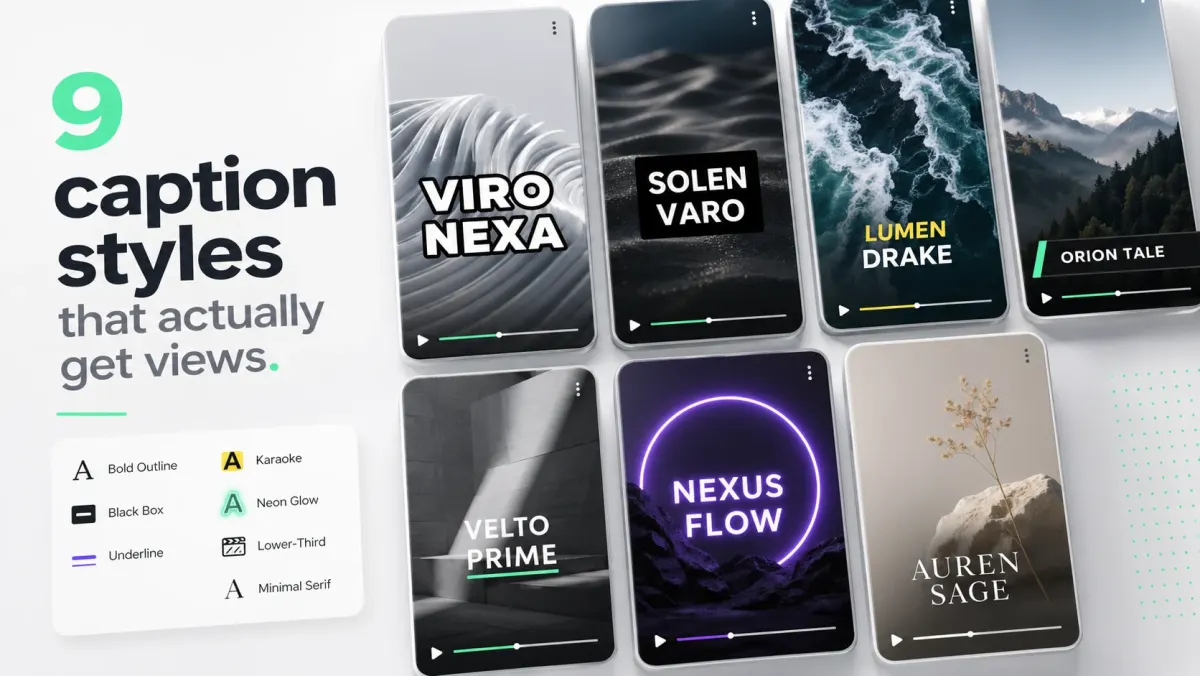
JSON to LRC: convert Whisper cues to lyrics format
Turn JSON transcript cues into .lrc synchronized lyrics for music players and karaoke. Free converter, accepted JSON shapes, and when to use LRC vs SRT.
How to make text pop out in video
A practical tutorial for making captions and on-screen text readable, punchy, and safe for short-form video without turning the frame into a poster.
TikTok safe zone: 1080×1920 dimensions & caption placement
TikTok safe zone for 1080×1920: avoid the top, bottom, and right-side UI. Get exact caption placement, a free overlay, and hook/CTA guidelines.
Instagram Reels safe zone: caption placement & dimensions
Instagram Reels safe zone for 1080×1920: place captions, text, faces, and CTAs in the central field. Includes dimensions, overlay, and placement guidance.
Best fonts for subtitles: 15 readable picks (2026)
Choosing the best fonts for subtitles? Compare 15 readable picks for TikTok, Reels, YouTube, and compressed mobile video, with weights, strokes, and use cases.
How to fix out-of-sync subtitles
A technical troubleshooting guide for subtitles that drift, start late, appear early, or slowly fall out of sync over a video.
Subtitles vs closed captions: what's the difference?
Closed captions vs subtitles: compare dialogue, sound effects, SRT/VTT delivery, accessibility, YouTube, and social video.
How to add captions to a Twitter/X video — SRT or burn-in
Add captions to an X (Twitter) video with an SRT upload or burned-in MP4. See the web steps, missing-CC fixes, and which option fits feed visibility.
Why is CapCut auto captions not working? 6 fixes for 2026
CapCut auto captions not working? Fix missing buttons, failed generation, wrong language, timing drift, inaccurate text, and export problems.
YouTube Shorts max length: 3 minutes (180s) & ideal duration
YouTube Shorts can be up to 3 minutes (180 seconds). Find the best length for tips, tutorials, stories, and product demos — plus a free duration checker.
Video translation captions: transcribe, translate & export SRT
Translate video captions from audio into another language: transcribe, review, localize, and export SRT/VTT or burned-in subtitles.
Accessible video content guidelines for creators and teams
A practical accessibility guide for captions, transcripts, audio clarity, visual contrast, motion, and publishing workflows.
Best colors for video subtitles: contrast, readability, and style
A practical color guide for subtitle readability, including white, yellow, black boxes, strokes, shadows, and active-word highlights.
How to transcribe a Zoom meeting
A B2B workflow for turning Zoom recordings into transcripts, summaries, clips, searchable notes, and captioned follow-up videos.
How to add captions to YouTube Shorts (2026)
Three ways to caption a Short — YouTube Studio's native captions, AI tools that burn captions in, and SRT uploads. Which one wins for retention.
LinkedIn video captions: SRT upload or burned-in MP4 (2026)
Add LinkedIn video captions with an SRT upload or burned-in MP4. Follow the exact upload steps, safe-zone guidance, font sizes, and muted-autoplay workflow.
How to add subtitles in Premiere Pro (SRT, VTT, burn-in)
Premiere supports captions natively. Here's the fastest path from a transcription file to a styled, burned-in subtitle track ready for export.
How to add subtitles in DaVinci Resolve — SRT & burn-in
Add subtitles in DaVinci Resolve Free: import SRT, style in Inspector, fix ASS compatibility, then export a burned-in MP4 or sidecar SRT.
How to add subtitles in Final Cut Pro
Final Cut treats captions as their own role. Import SRT, edit timing inline, style with built-in templates, and export sidecar or embedded.
Whisper vs AssemblyAI vs Deepgram (2026)
Three of the most-used transcription engines, compared on accuracy, language coverage, latency, and price. Which one to pick for what.
WCAG and ADA captions: what your video actually needs
WCAG 2.1 SC 1.2.2 requires toggleable closed captions on all prerecorded video — not burned-in, not auto-generated alone. ADA Title III and Section 508 adopt WCAG AA as the US standard. A practical compliance workflow you can run in under a day per video.
Subtitle character limits: Netflix, BBC, and the practical rule
How many characters fit on a subtitle line, where the standards come from, and the pragmatic rule for short-form video that bends them.
SRT vs VTT vs ASS: which subtitle format should you use?
SRT vs VTT vs ASS: see compatibility, styling, and delivery differences — plus which format fits YouTube, web video, or styled burn-in.
How to add captions to Instagram Reels (2026)
Three ways to caption a Reel — Instagram's auto-captions, a dedicated caption tool, or manual typing. Here is which one to pick and how to make captions land inside the safe zone.
Teachable subtitles & online course captions — SRT guide
Teachable subtitles and e-learning captions: upload SRT/VTT to Teachable, Kajabi, Thinkific, Podia, Udemy, and Coursera.
Karaoke captions — word-by-word TikTok & Reels guide
How to make karaoke captions with word-by-word timing, readable fonts, and highlight colors for TikTok, Reels, Shorts, and podcast clips.
How subtitles boost video SEO (and rank you on Google)
Search engines cannot watch video, but they can read transcripts. Subtitles turn unindexed audio into indexed text — and indexed text is what ranks.
Social media caption best practices (2026): safe zones & fonts
Social media caption best practices for TikTok, Reels, Shorts, LinkedIn, and X: safe zones, fonts, reading speed, and export choices.
AI vs human transcription: when each is worth the money
AI transcription is 100× cheaper and 50× faster. Human transcription is more accurate on edge cases. Here is the practical framework for picking.
How to convert MP4 to SRT — fastest ways to generate captions
Convert an MP4 to SRT with SoCaptions, Whisper, or manual transcription. Compare the fastest reliable workflow and export a timed subtitle file.
How to add subtitles to TikTok videos (2026)
Three ways to caption a TikTok — built-in auto-captions, a dedicated subtitle tool, or burned-in captions from an editor. Here is which one to pick and why.
Multilingual subtitles: how to localize video for global reach
Translating subtitles is the cheapest, fastest way to multiply video audience size. Here is the practical workflow, the languages with the highest ROI, and the mistakes to avoid.
The best AI caption generators in 2026 (and which to skip)
An honest ranking of caption tools by accuracy, speed, styling, pricing, and creator workflow. SoCaptions, CapCut, Submagic, Veed, Descript, and more.

How to fix YouTube captions that are out of sync
Three common causes — frame rate mismatch, upload-side delay, and editor-side drift — and the 5-minute fix for each.
How to upload an SRT file to YouTube (long-form and Shorts)
The exact YouTube Studio path for uploading captions, with the gotchas around format, language, timing-with vs timing-without, and search indexing.

ADA video caption requirements — Section 508 & WCAG
ADA video caption requirements for prerecorded content: Section 508, WCAG, EAA, accurate SRT/VTT tracks, and when burned-in captions fall short.
The captioning strategy that turns podcast clips into subscribers
How to caption podcast clips so they earn the swipe — including the 60-second clip pattern, speaker color rules, and the SRT-to-long-form playbook.
Burned-in captions vs closed captions (2026)
Burned-in captions are always visible; closed captions are toggleable SRT/VTT tracks. Compare social reach, accessibility, SEO, and when to deliver both.
iTT subtitle format: what it is, how to convert iTT to SRT or TXT
iTT (iTunes Timed Text) is Apple's TTML profile for Final Cut Pro and iTunes Connect. How to convert .itt to SRT for Premiere, DaVinci, and YouTube; .itt to plain TXT for transcripts; common problems and when you actually need the .itt format.
DFXP subtitle format: what it is and how to convert it
DFXP is an older TTML profile used by Netflix and Flash-era video. If you have .dfxp files, here's how to convert them to SRT, VTT, or any modern format.
LRC format: the lyrics file format for music and karaoke
LRC is the synchronized lyrics format used by Spotify, Apple Music, and karaoke apps. Here's how it works, how to create LRC files, and how to convert between LRC and other subtitle formats.
How to add subtitles in CapCut: Auto Captions, SRT & burn-in
Three ways to add subtitles in CapCut in 2026: Auto Captions for instant AI transcription, SRT import for pre-made files, and manual text overlays for styled captions. How to export a burned-in MP4, fix common errors, and export an SRT from CapCut.
How to add captions to Facebook video: SRT or burn-in
Three ways to caption Facebook videos in 2026: upload an SRT when posting, add captions in Meta Business Suite after upload, or burn captions into the MP4 before posting. Includes Facebook Reels captions and troubleshooting for missing CC buttons.
How to add captions to videos in 2026
Every method for adding captions to videos in 2026: AI tools (CapCut, SoCaptions, Whisper), manual SRT import, and platform-native options — ranked by speed, accuracy, and cost for TikTok, Reels, YouTube Shorts, and more.
9 caption styles that actually get views
We watched 200 viral clips and counted caption treatments. Here are the styles that show up over and over — with the exact font, weight, and stroke values to copy.
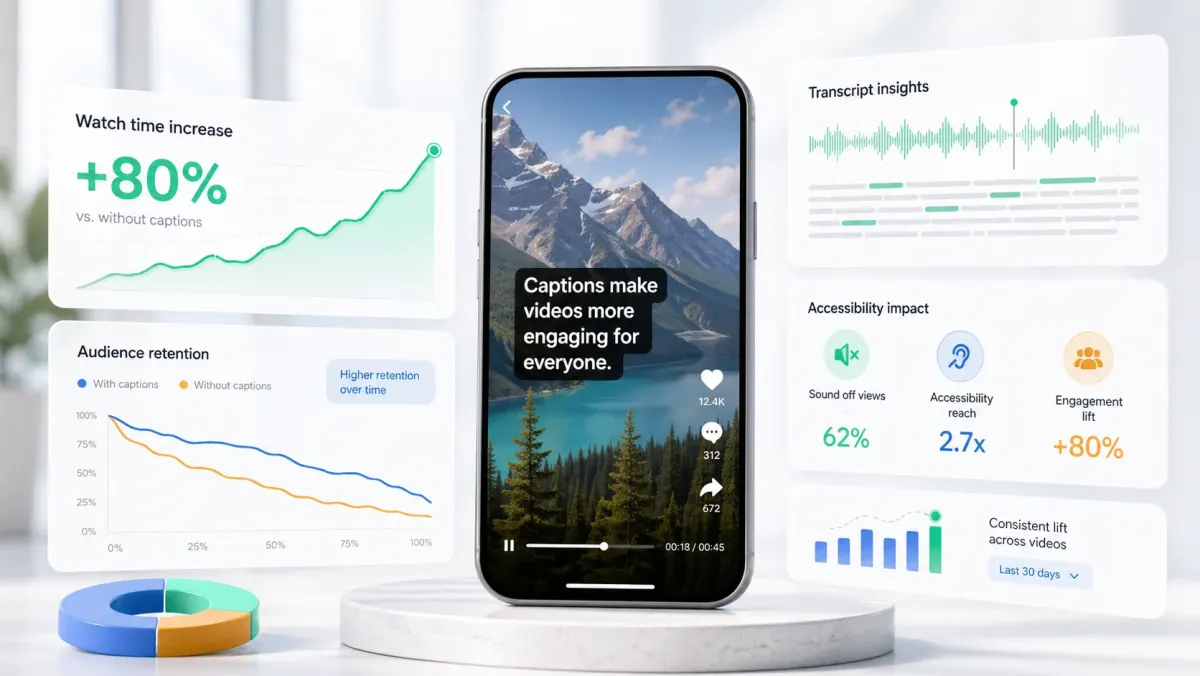
Why captions add 80% to watch time
Captions don't just help the deaf or distracted — they keep silent scrollers watching, beat the algorithm, and make every word more memorable. The mechanism is more interesting than 'people watch on mute'.