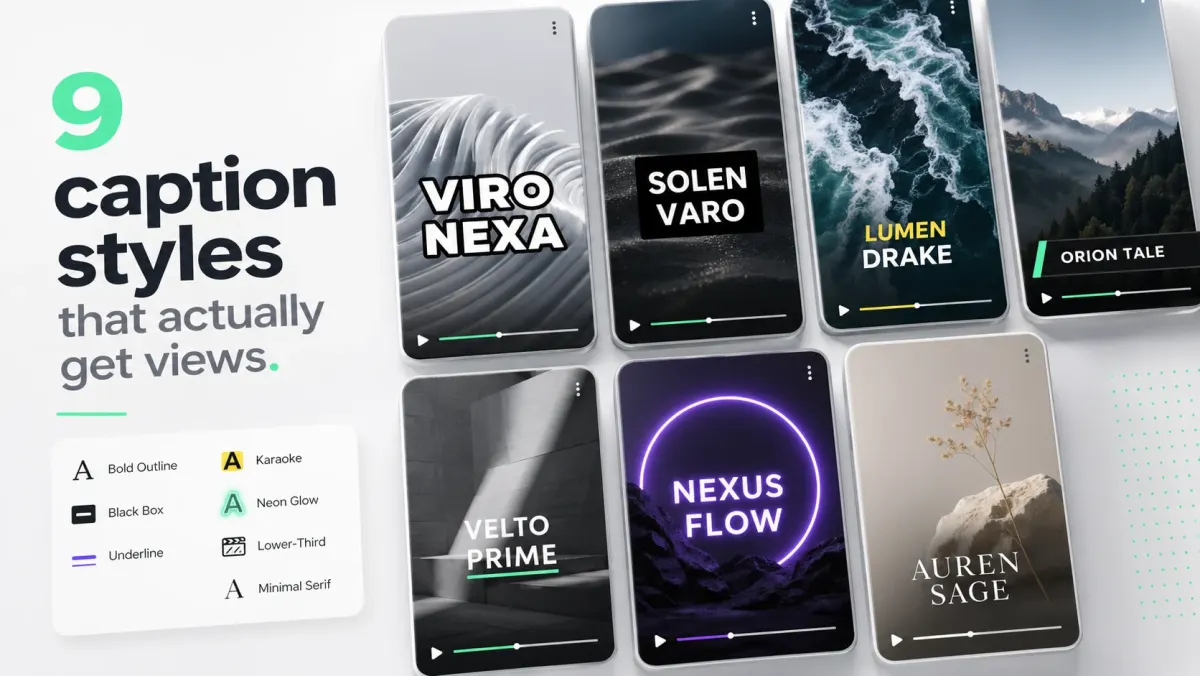
Most creators design captions once and post them everywhere. That is fine for the first 10,000 followers. Past that, the per-platform optimization starts to matter — different platforms eat different parts of the frame, attract different reading speeds, and respond to different visual energy.
Here is a quick-reference table, followed by the reasoning behind each range. Treat the numbers as starting points: platform UI, device size, export resolution, and audience all change how captions read. Preview the final MP4 inside each app before publishing.
| Platform | Font size | Reading speed (CPS) | Riskiest zone | Energy |
|---|---|---|---|---|
| TikTok | 70–90px | 22–28 | Bottom 460px | High — karaoke |
| Instagram Reels | 60–80px | 18–22 | Bottom 420–600px | High, cleaner than TikTok |
| YouTube Shorts | 60–75px | 18–22 | Bottom 180px | Medium |
| 56–68px | 15–18 | Bottom 10% (192px) | Low — no karaoke | |
| X / Twitter | 60–80px | 18–22 | Bottom 100px | Low to medium |
| 60–75px | 18–22 | Bottom & top 10% | Medium |
TikTok
TikTok rewards retention in the first three seconds more than any other platform. That makes captions essential — not decorative. The viewer is deciding whether to swipe while reading the hook, so the caption must be fast, bold, and placed well above the bottom UI.
- Caption energy: high. Bold weights, karaoke highlights, fast scale-in animations.
- Safe zone: avoid the top 250px (status bar, search) and bottom 460px (username, like/comment/share, audio label, CTA). Right side 180px is the action column.
- Recommended caption position: y:700–1360px on 1080×1920 — upper portion of that band for talking heads, lower portion for tutorials.
- Font size: 70–90px. Anything smaller collapses on small-screen phones and under TikTok's video compression.
- Reading speed: 22–28 CPS — TikTok viewers read fast and the algorithm rewards completion, so push the pace.
- Default style: bold white sans (Anton, Montserrat Black, or Inter Black), 4–6px black stroke, mint or yellow karaoke highlight.
- Avoid: wide captions that reach into the right action column. Keep max line width to ~80% of frame width.
Instagram Reels
Reels audiences skew slightly older than TikTok and tolerate cleaner aesthetics. The safe zone is nearly identical to TikTok in the vertical dimension, but Instagram's right-side action column is narrower.
- Caption energy: high but slightly cleaner than TikTok. Fewer rapid animations.
- Safe zone: avoid bottom 420px organic / 520–600px for Reels ads. Top 250px is covered by the UI. Right side ~160px.
- Recommended caption position: y:700–1350px. For ads, move captions higher into the y:700–1100px band to stay clear of the expanded ad CTA.
- Font size: 60–80px on 1080×1920.
- Reading speed: 18–22 CPS.
- Default style: bold sans, white with 4–5px black stroke, optional brand color karaoke highlight.
- Cross-post note: if you design for TikTok safe zones, you will be safe on Reels — TikTok's bottom UI is slightly more aggressive.
YouTube Shorts
Shorts viewers come from YouTube's longer-form ecosystem, which means they tolerate slightly denser text and a calmer visual style. The platform UI is also lighter at the bottom, giving you more frame to work with.
- Caption energy: medium. Clean, readable sans-serifs outperform high-energy karaoke on Shorts.
- Safe zone: bottom 180px blocked by subscribe button and progress bar. Top 8% for the header.
- Recommended caption position: y:600–1550px — significantly more usable area than TikTok or Reels.
- Font size: 60–75px on 1080×1920.
- Reading speed: 18–22 CPS. Shorts viewers read more carefully than TikTok scrollers.
- Default style: medium-bold sans (Inter SemiBold, Roboto Medium), white with 3–4px stroke or plate. Line lengths can be up to 50 chars vs. TikTok's 35–40.
- Avoid: karaoke on instructional Shorts — it can feel frantic when the tone is educational.
LinkedIn is a professional audience with a slow scroll. The energy is lower, the text can be denser, and karaoke highlights read as too casual for most B2B content. The bottom 10% is covered by engagement buttons.
- Caption energy: low. Clean, editorial-feeling captions outperform loud animation.
- Safe zone: bottom 10% (bottom 192px on 1080×1920) is covered. Top 8%.
- Recommended caption position: lower third, y:900–1540px. Slightly higher than TikTok because the frame has more room at the bottom.
- Font size: 56–68px on 1080×1920. Slightly smaller than TikTok — the viewer is usually on a desktop or giving more focused attention.
- Reading speed: 15–18 CPS — viewers are reading deliberately, not scrolling past.
- Default style: clean sans, medium weight (Inter Medium or SemiBold), white with subtle shadow or dark box. Never karaoke.
- Avoid: bright highlight colors, rapid animations, and all-caps shouting. LinkedIn B2B audiences penalize the visual tone of social-video energy.
X / Twitter
X autoplay videos on mute in the feed. There is no reliable closed-caption upload path for most creators, so burned-in captions are non-negotiable. X also compresses video harder than most platforms, which means strokes need to be thicker than you expect.
- Caption energy: low to medium.
- Safe zone: lighter UI than TikTok or Reels — the player controls are minimal during autoplay. Keep captions away from the bottom 100px and top 60px.
- Recommended caption position: y:600–1560px on 1080×1920.
- Font size: 60–80px. Go thicker because X re-encodes video at lower bitrates than YouTube or TikTok.
- Reading speed: 18–22 CPS.
- Default style: bold sans, white with 5–6px black stroke. Heavier strokes survive X's compression better than thinner ones.
- Avoid: thin fonts, light strokes, or pastel text colors — they break under X's re-encode.
- Caption energy: medium.
- Safe zone: bottom 10%, top 10%. Facebook's feed can also crop the sides, so avoid placing key text in the outer 5% horizontally.
- Recommended position: y:700–1400px on 1080×1920.
- Font size: 60–75px.
- Reading speed: 18–22 CPS.
- Default style: bold sans with strong contrast — Facebook's mixed-format feed compresses harder than Reels and renders captions in worse contexts (sidebar, suggested video panels).
Cross-posting workflow
- 01Build for TikTok safe zones first — it has the strictest overlay. If your captions are readable on TikTok, they survive Reels and Shorts without change.
- 02Keep captions above y:1360px (on a 1080×1920 canvas) as a universal floor.
- 03Use Inter Black, Montserrat Black, or Anton at 70px+ for any platform with heavy compression (TikTok, X, Facebook).
- 04Drop to Inter SemiBold at 60–68px for LinkedIn and Shorts where the audience reads more carefully.
- 05Use one default style for 80% of content. Reserve a second style for hero clips only.
- 06Test on a real phone before publishing any video you plan to promote. Editor previews lie.
Brand consistency on short-form lives in caption style. Pick one font, one stroke, one highlight color, and use it for at least 30 days before changing anything. Viewers recognize your style before they recognize your face.
FAQ
What size should captions be on social media?
For 1080×1920 vertical video: 70–90px on TikTok, 60–80px on Reels, 60–75px on Shorts and LinkedIn. For 1920×1080 horizontal video: 48–60px. The rule of thumb: captions should be readable at arm's length on a phone without zooming in. If you need to squint, increase size or weight — most creators err too small, not too large.
Where should captions be placed on social video?
On TikTok: keep captions between y:700px and y:1360px on a 1080×1920 canvas. On Reels: avoid the bottom 420px (organic) or 600px (ads). On Shorts: bottom 180px is the only hard block. On LinkedIn: avoid the bottom 192px. The universal safe position: center the caption block around the 55–65% mark from the top — it clears every platform's bottom UI and most top overlays.
Should captions be the same style on every platform?
No. TikTok and Reels respond to bold, high-energy karaoke. LinkedIn needs clean box-style captions. Shorts work best with readable sans-serifs at moderate energy. Build for TikTok safe zones first (strictest) and you are safe cross-posting, but tune the energy level per platform — the same karaoke style that crushes on TikTok reads as noise on LinkedIn.
What reading speed should social media captions use?
TikTok and Reels: 22–28 CPS (the audience is fast and the algorithm rewards completion). YouTube Shorts and X: 18–22 CPS. LinkedIn: 15–18 CPS. Netflix caps at 17 CPS for adult English content — a good reference for professional B2B video. YouTube auto-captions have no cap and often produce unreadable bursts above 30 CPS.
What font is best for social media captions?
Bold or black weight sans-serif fonts dominate social captioning because they read under compression and on small screens. The most-used options: Inter Black, Montserrat Black, Anton, Bebas Neue, and Oswald Bold. For LinkedIn and professional content, drop to Inter SemiBold or Roboto Medium — they read as premium without feeling aggressive. Avoid thin, script, or decorative fonts for captions; they collapse under platform re-encoding.
How do you make captions readable on a busy background?
Three options, in order of reliability: (1) Add a 4–6px black stroke around the text — this gives every letter a light and dark boundary regardless of background. (2) Add a semi-transparent black plate behind the caption block. (3) Use a drop shadow with 60–80% opacity and a 4–8px blur radius. Test your caption on the worst frame — the brightest or most chaotic background in the clip. If it reads there, it reads everywhere.