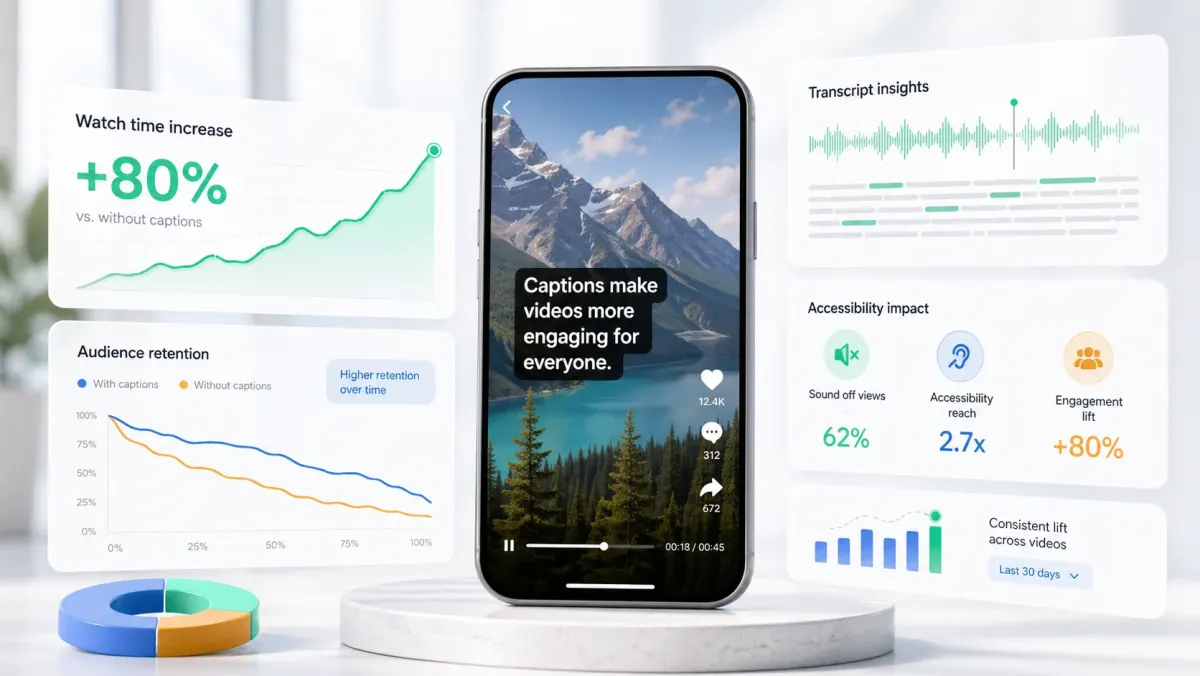
Video has a structural SEO problem: the words are inside the audio, and search engines cannot listen. They can read text. That gap is exactly what subtitles, captions, and transcripts close. Every word you say becomes a word Google can crawl, index, and match against a query.
What captions actually unlock for SEO
- Indexable transcripts: SRT and VTT files served alongside video become crawlable text. YouTube indexes captions directly. Self-hosted video benefits when you publish the transcript on the page.
- Long-tail keyword coverage: a 10-minute talk contains hundreds of phrases you would never write into a meta description. Captions surface them all.
- Featured snippets and video snippets: Google's video snippet (the timestamp jump) is built on caption data. No captions, no jump.
- Watch time signals: captions increase average watch time, which YouTube uses as a ranking factor.
- Multilingual reach: translated captions multiply the keyword surface by every language you publish in.
Where the gains come from
Most creators chase YouTube SEO without realizing that titles, descriptions, and tags account for maybe 20% of how YouTube ranks a video. The rest is engagement: click-through rate, average view duration, completion rate, and session time. Captions move all four of those. Better watch time means better ranking, which means more impressions, which means a compounding loop.
Web SEO for self-hosted video
If you embed video on a marketing site, course platform, or blog, publishing the transcript on the same page is the highest-leverage on-page SEO move available. The page becomes long-form content. Internal links and topical clusters work as if you wrote a 2,000-word post. Many SaaS companies have built six-figure organic traffic on transcribed customer-call snippets and webinar replays alone.
The full SEO workflow
- 01Generate an accurate transcript (Whisper or SoCaptions, 95%+ on clean audio).
- 02Edit for proper nouns, product names, jargon, and numbers — the words search queries actually use.
- 03Upload an SRT/VTT alongside the video on YouTube, Vimeo, or your CMS.
- 04Publish the cleaned transcript as readable copy on the page below the embed.
- 05Add a one-paragraph summary above the transcript with the target keyword.
- 06Translate for any market you actually sell into. Even rough machine translation indexes.
What not to do
- Do not upload raw, unedited transcripts as blog posts. Search engines tolerate them but readers bounce.
- Do not stuff keywords into captions. They damage readability and offer no ranking benefit.
- Do not auto-generate captions and skip the edit. Errors in the transcript become errors in the index.
- Do not hide the transcript behind a tab or accordion. Many crawlers do not render JS expansion.
Search Google for an exact phrase from a video you published last month. If the video does not appear, captions or a published transcript are the missing piece.
Production workflow
The practical way to apply this guide is to treat how subtitles boost video seo (and rank you on google) as a repeatable production workflow, not a one-off fix. Start with the final video file, not the rough edit. Make the content understandable first, make the captions accurate second, and make the styling attractive third. That order prevents the most common mistake in video caption work: spending time on color, animation, or font choice before the words, timing, and placement are correct.
For short-form video, the workflow should be fast enough that you can use it every time you publish. If the process takes 45 minutes per clip, you will skip it when you are busy. A good caption workflow should fit inside the final polish pass: upload the final cut, generate captions, fix the transcript, choose the preset, check safe zones, preview on mute, and export. That is enough for most creator, founder, marketer, and agency clips.
- 01Watch the video once without captions and write the single idea the viewer must understand.
- 02Generate or paste the transcript and remove anything that distracts from that idea.
- 03Set caption timing before styling. Timing problems are more damaging than font problems.
- 04Choose one readable visual system: outline, box, karaoke, cinematic, or minimal.
- 05Check the worst frame in the video, not the cleanest frame.
- 06Preview the export at phone size with sound off.
- 07Publish only when the message is clear without audio.
Quality checklist before publishing
Use this checklist before publishing any video related to subtitles boost video seo. It is intentionally practical. The goal is not to create a perfect studio deliverable; the goal is to avoid the errors that cause people to swipe, misunderstand the message, or miss the call to action.
- The first caption appears early enough to support the hook.
- No caption is hidden by platform buttons, username text, captions, CTA buttons, or progress controls.
- Every important proper noun, number, price, URL, and product name is spelled correctly.
- Lines break around phrases instead of splitting random words.
- The caption block uses enough contrast on the brightest frame.
- The style matches the content category: louder for fast social, cleaner for tutorials, calmer for B2B.
- The video still makes sense with sound off.
- The export was checked after rendering, not only inside the editor preview.
- The caption position is consistent with other videos on the same channel.
- The final CTA is visible, readable, and not competing with native platform UI.
Common mistakes to avoid
The biggest mistake is treating captions as decoration. Captions are part of the content layer. They carry meaning, pace, emphasis, accessibility, and retention. If they are late, too small, hidden, or hard to read, the viewer does not experience them as a design flaw; they experience the whole video as harder to watch.
The second mistake is designing for the editor canvas instead of the feed. Editors show a clean preview. Social platforms add buttons, labels, captions, comments, compression, and device variation. Always assume the published version will be harsher than the preview. More margin, stronger contrast, and shorter lines are usually better than a layout that looks elegant only in the editor.
- Do not put the most important text at the very bottom of vertical video.
- Do not use thin fonts for fast speech or small mobile viewing.
- Do not rely on color alone for emphasis if contrast is weak.
- Do not generate captions before the edit is final unless you expect to redo timing.
- Do not export once and assume every platform will display the file the same way.
How to use SoCaptions for this
SoCaptions is built for the practical version of this workflow: quick caption generation, editable transcript cleanup, readable presets, and export-ready MP4 captions for social video. Use it when the edit is mostly done and the remaining job is to make the words visible, timed, and polished. That is where a focused caption tool is faster than opening a full video editor and rebuilding a caption system from scratch.
The best SoCaptions workflow is simple. Upload the final video, generate captions, fix the transcript, pick a preset, adjust placement for the platform, preview the full clip, and export. For high-volume creators, save a consistent style and reuse it. Consistency matters because viewers learn where to read your captions and begin to recognize your videos before they consciously notice the branding.
Try the workflow on a real 20-40 second clip before changing your whole process. One finished export will tell you whether the caption style, placement, and timing are strong enough for your channel.
FAQ
What is the fastest way to handle subtitles boost video seo?
The fastest reliable method is to work from the final video, use an automatic caption or transcript tool, fix only the meaningful mistakes, and apply a proven preset instead of designing from zero. Manual control is useful, but manual setup is expensive if you repeat it for every clip. Use automation for the repetitive timing work and spend your attention on clarity, placement, and final review.
Should I use burned-in captions or a caption file?
Use burned-in captions when you need every viewer to see the text immediately in a social feed. Use a caption file such as SRT or VTT when accessibility, toggling, translation, or platform-native playback matters. For important videos, the strongest workflow is often both: a captioned social export for reach and a clean transcript or caption file for accessibility and reuse.
How do I know if the captions are readable enough?
Preview the video on a phone-sized screen with sound off. If you can understand the point without leaning in, pausing, or replaying, the captions are probably readable. Then check the brightest frame, the busiest frame, and the final export after compression. Readability is proven in the worst viewing condition, not the best screenshot.
How much should I customize the style?
Customize enough to fit your brand, but not so much that the captions become harder to read. Most channels need one dependable default and one alternate style for special clips. Constantly changing fonts, colors, and animation makes the content feel less consistent and slows production. A simple repeatable style usually beats a new design for every post.
What should I measure after publishing?
Measure retention, average watch time, completion rate, rewatches, comments that mention clarity, and whether viewers understand the call to action. View count alone is too noisy. If caption improvements work, you should see fewer early drop-offs and better comprehension on clips where the spoken message matters.
