Technology8 min read

AI vs human transcription: when each is worth the money

AI transcription is 100× cheaper and 50× faster. Human transcription is more accurate on edge cases. Here is the practical framework for picking.

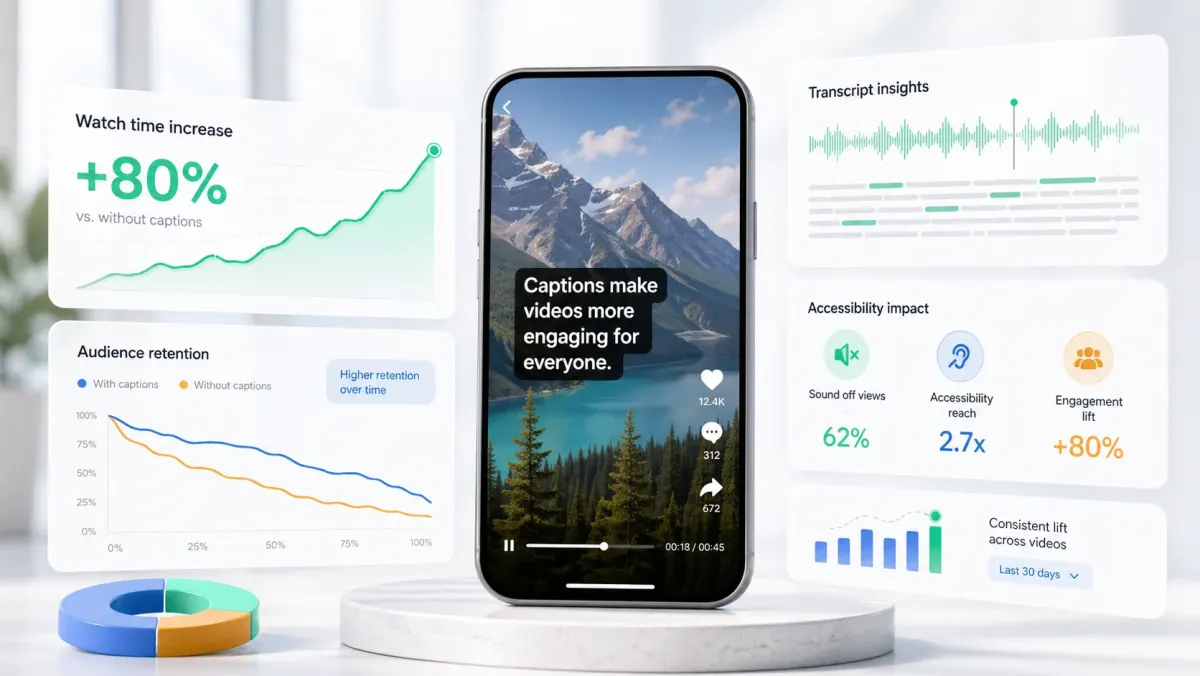
Split view comparing AI transcript output against a human-edited transcript.
The short version

AI transcription crossed the quality threshold around 2023. Today it handles 95%+ of mainstream content correctly. Human transcription still wins on regulated, multi-speaker, and heavily-accented work — but the gap is narrower than most people assume.

The AI vs human transcription debate is mostly settled for the average creator: AI wins on cost, speed, and convenience. The interesting question is which 5–10% of work still benefits from human transcription, and how to identify those cases before you spend the money.

Where AI wins

  • Speed: 30–90 seconds per 10 minutes of audio vs. 4–24 hours for human turnaround.
  • Cost: $0.006–$0.10 per minute of audio vs. $1.00–$3.00 per minute for human services.
  • Single-speaker clean audio: AI hits 95–97% accuracy on podcast-quality recordings — within human range.
  • Volume: scales to thousands of hours per day. Human transcribers do not.
  • Word-level timing: AI returns timestamps per word for free. Human services charge extra or do not offer it.

Where humans still win

  • Heavy accents and code-switching: regional dialects and bilingual speakers still trip AI in 2026.
  • Multi-speaker overlap: cross-talk in podcasts, panels, and interviews is AI's worst case.
  • Specialized vocabulary: medical, legal, scientific terminology benefits from human review.
  • Regulatory deliverables: FCC, ADA, court, and broadcast captions sometimes require human-certified transcripts.
  • Audio quality below ~12dB SNR: street recordings, distant mics, low-bitrate phone audio.

The hybrid workflow most pros use

The best practical workflow in 2026 is not AI-only or human-only — it is AI-first, human-edited. Run AI to get the transcript in 30 seconds, then have a human (yourself, an assistant, or an inexpensive editor) review only the timestamped segments AI flagged with low confidence. This captures 95% of human-only quality at 5% of the cost.

Decision framework

  1. 01Single speaker, clean audio, mainstream content? AI alone — pure Whisper or SoCaptions auto-export.
  2. 02Single speaker but specialized vocabulary or branded names? AI + a 10-minute proofread pass.
  3. 03Multi-speaker, light cross-talk? AI + speaker labeling + a 30-minute edit pass.
  4. 04Multi-speaker, heavy cross-talk, accented? Hybrid: AI for the first draft, human service for the edit.
  5. 05Regulated deliverable (broadcast, legal, medical)? Human service, certified, every time.

Pricing math

For a 60-minute interview: AI alone runs $0.40–$6.00 and finishes before you grab a coffee. Hybrid AI + 30 minutes of human edit costs ~$15. Pure human transcription runs $60–$180 and arrives the next day. For non-regulated content, the hybrid path is almost always the right answer.

When to spend the money on humans

There are exactly four scenarios in 2026 where pure human transcription still earns its premium: legal evidence, medical records, broadcast deliverables, and translation pivots into low-resource languages. For everything else, AI plus a careful edit pass is faster, cheaper, and indistinguishable in the final output.

Default in 2026

AI-first, human-edited. The pure-AI workflow handles short-form social. Hybrid handles podcasts, webinars, and courses. Pure human is reserved for regulated work.

Production workflow

The practical way to apply this guide is to treat ai vs human transcription: when each is worth the money as a repeatable production workflow, not a one-off fix. Start with the final video file, not the rough edit. Make the content understandable first, make the captions accurate second, and make the styling attractive third. That order prevents the most common mistake in video caption work: spending time on color, animation, or font choice before the words, timing, and placement are correct.

For short-form video, the workflow should be fast enough that you can use it every time you publish. If the process takes 45 minutes per clip, you will skip it when you are busy. A good caption workflow should fit inside the final polish pass: upload the final cut, generate captions, fix the transcript, choose the preset, check safe zones, preview on mute, and export. That is enough for most creator, founder, marketer, and agency clips.

  1. 01Watch the video once without captions and write the single idea the viewer must understand.
  2. 02Generate or paste the transcript and remove anything that distracts from that idea.
  3. 03Set caption timing before styling. Timing problems are more damaging than font problems.
  4. 04Choose one readable visual system: outline, box, karaoke, cinematic, or minimal.
  5. 05Check the worst frame in the video, not the cleanest frame.
  6. 06Preview the export at phone size with sound off.
  7. 07Publish only when the message is clear without audio.

Quality checklist before publishing

Use this checklist before publishing any video related to ai vs human transcription. It is intentionally practical. The goal is not to create a perfect studio deliverable; the goal is to avoid the errors that cause people to swipe, misunderstand the message, or miss the call to action.

  • The first caption appears early enough to support the hook.
  • No caption is hidden by platform buttons, username text, captions, CTA buttons, or progress controls.
  • Every important proper noun, number, price, URL, and product name is spelled correctly.
  • Lines break around phrases instead of splitting random words.
  • The caption block uses enough contrast on the brightest frame.
  • The style matches the content category: louder for fast social, cleaner for tutorials, calmer for B2B.
  • The video still makes sense with sound off.
  • The export was checked after rendering, not only inside the editor preview.
  • The caption position is consistent with other videos on the same channel.
  • The final CTA is visible, readable, and not competing with native platform UI.

Common mistakes to avoid

The biggest mistake is treating captions as decoration. Captions are part of the content layer. They carry meaning, pace, emphasis, accessibility, and retention. If they are late, too small, hidden, or hard to read, the viewer does not experience them as a design flaw; they experience the whole video as harder to watch.

The second mistake is designing for the editor canvas instead of the feed. Editors show a clean preview. Social platforms add buttons, labels, captions, comments, compression, and device variation. Always assume the published version will be harsher than the preview. More margin, stronger contrast, and shorter lines are usually better than a layout that looks elegant only in the editor.

  • Do not put the most important text at the very bottom of vertical video.
  • Do not use thin fonts for fast speech or small mobile viewing.
  • Do not rely on color alone for emphasis if contrast is weak.
  • Do not generate captions before the edit is final unless you expect to redo timing.
  • Do not export once and assume every platform will display the file the same way.

How to use SoCaptions for this

SoCaptions is built for the practical version of this workflow: quick caption generation, editable transcript cleanup, readable presets, and export-ready MP4 captions for social video. Use it when the edit is mostly done and the remaining job is to make the words visible, timed, and polished. That is where a focused caption tool is faster than opening a full video editor and rebuilding a caption system from scratch.

The best SoCaptions workflow is simple. Upload the final video, generate captions, fix the transcript, pick a preset, adjust placement for the platform, preview the full clip, and export. For high-volume creators, save a consistent style and reuse it. Consistency matters because viewers learn where to read your captions and begin to recognize your videos before they consciously notice the branding.

Value-first CTA

Try the workflow on a real 20-40 second clip before changing your whole process. One finished export will tell you whether the caption style, placement, and timing are strong enough for your channel.

FAQ

What is the fastest way to handle ai vs human transcription?

The fastest reliable method is to work from the final video, use an automatic caption or transcript tool, fix only the meaningful mistakes, and apply a proven preset instead of designing from zero. Manual control is useful, but manual setup is expensive if you repeat it for every clip. Use automation for the repetitive timing work and spend your attention on clarity, placement, and final review.

Should I use burned-in captions or a caption file?

Use burned-in captions when you need every viewer to see the text immediately in a social feed. Use a caption file such as SRT or VTT when accessibility, toggling, translation, or platform-native playback matters. For important videos, the strongest workflow is often both: a captioned social export for reach and a clean transcript or caption file for accessibility and reuse.

How do I know if the captions are readable enough?

Preview the video on a phone-sized screen with sound off. If you can understand the point without leaning in, pausing, or replaying, the captions are probably readable. Then check the brightest frame, the busiest frame, and the final export after compression. Readability is proven in the worst viewing condition, not the best screenshot.

How much should I customize the style?

Customize enough to fit your brand, but not so much that the captions become harder to read. Most channels need one dependable default and one alternate style for special clips. Constantly changing fonts, colors, and animation makes the content feel less consistent and slows production. A simple repeatable style usually beats a new design for every post.

What should I measure after publishing?

Measure retention, average watch time, completion rate, rewatches, comments that mention clarity, and whether viewers understand the call to action. View count alone is too noisy. If caption improvements work, you should see fewer early drop-offs and better comprehension on clips where the spoken message matters.

Caption your next video in seconds.
Free for the first 5 minutes. No card required.
Open editor
Up next

How to generate an SRT file from an MP4 video

Three ways to turn an MP4 into a captioned SRT — Whisper locally, an online tool, or a manual transcription editor. Here is the fastest reliable path.

Read article