For standard YouTube channels, square or vertical videos up to three minutes can be categorized as Shorts when uploaded after October 15, 2024. Official Artist Channels and channels linked to a music Content Owner have a later cutoff for this rule. The maximum length is not the recommended length: a Short should be as long as the idea needs and no longer. For most hooks, tips, reactions, and product demos, the strongest range is still 20-45 seconds.
Length is a retention decision. YouTube does not reward minutes by themselves; it rewards whether viewers keep watching, rewatch, engage, and choose another video. A 23-second Short watched twice can outperform a 90-second Short that loses half the audience after the hook.
Recommended lengths by content type
- One quick tip: 12-25 seconds.
- Before/after or transformation: 15-35 seconds.
- Educational mini-tutorial: 30-60 seconds.
- Story, breakdown, or commentary: 45-90 seconds.
- Deep explainer: 90-180 seconds only if every segment earns attention.
When to use the full 3 minutes
Use longer Shorts when the format creates momentum: a story with a clear payoff, a step-by-step tutorial where each step is necessary, a satisfying process video, a ranked list, or a high-stakes explanation. Do not use three minutes because you have three minutes available. Use it when the viewer is actively pulled through the entire structure.
- 01Open with the result, conflict, or promise.
- 02Remove any setup the viewer does not need.
- 03Break the middle into visible beats.
- 04Use captions to keep the story understandable on mute.
- 05End immediately after the payoff or next action.
The first three seconds decide the length
If the first three seconds are weak, the perfect length does not matter. The hook should tell the viewer why to keep watching before they decide to swipe. Good hooks are specific: 'This is why your captions look blurry' beats 'Here are some editing tips.' The caption on the hook should appear immediately and be easy to read without sound.
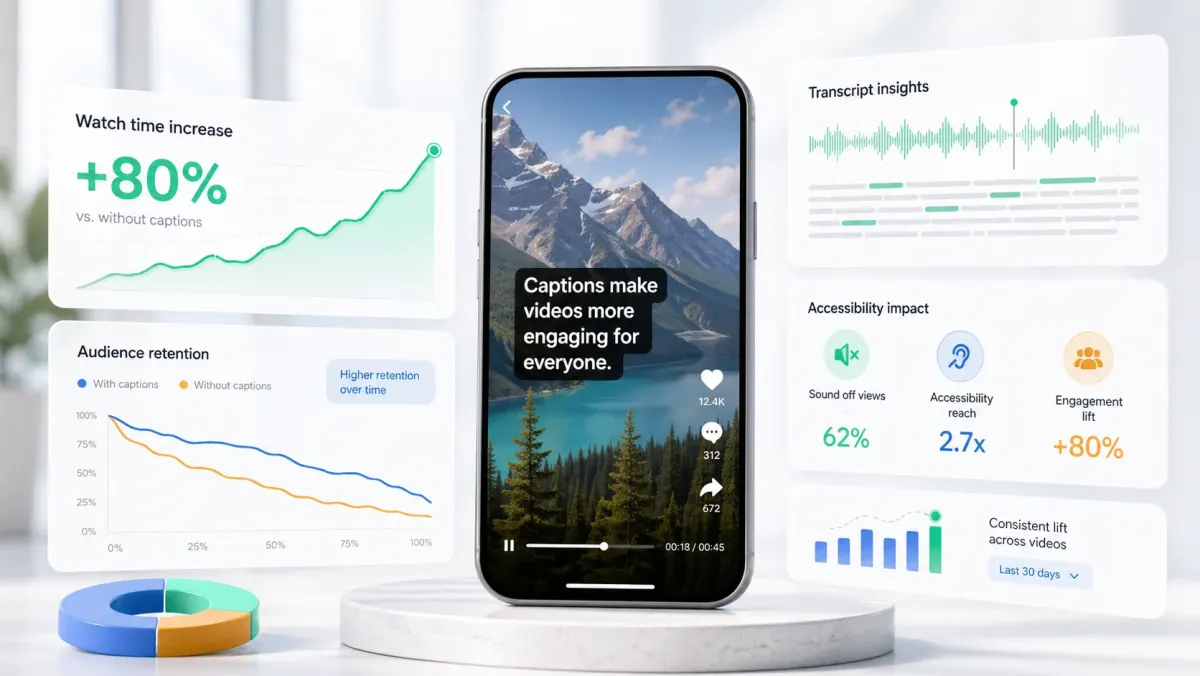
Captions help because they reduce the effort required to understand the opening line. A viewer can catch the point even if the audio is muted, noisy, accented, or interrupted by their environment. That extra clarity often buys you the next few seconds.
How captions improve Shorts retention
Captions support retention in three ways. First, they make the video understandable with sound off. Second, they create visual rhythm because words appear in time with speech. Third, they help viewers recover if they miss a word. On fast Shorts, that recovery matters: without captions, one missed phrase can make the viewer swipe.
If the Short depends on spoken information, caption it. If the Short depends on visual transformation only, use captions for the hook and payoff at minimum.
A practical editing formula
- 01Write the hook as one sentence.
- 02Cut the video until the hook starts in the first second.
- 03Keep every sentence tied to the promised payoff.
- 04Use captions to mark each beat clearly.
- 05Remove the outro unless it changes viewer behavior.
The best YouTube Short length is discovered in the edit, not chosen before recording. Cut until removing one more sentence would hurt understanding. Then caption the final version so the viewer can follow it at feed speed.
FAQ
What is the maximum length of a YouTube Short?
For standard channels, YouTube Shorts can be up to 3 minutes (180 seconds) long when the video is square or vertical and uploaded after October 15, 2024. Official Artist Channels and channels linked to a music Content Owner use a December 8, 2025 cutoff. Videos over 3 minutes are classified as regular videos, not Shorts.
What is the minimum length of a YouTube Short?
There is no official minimum length for a YouTube Short. For many tips and tutorials, 15 seconds is a practical editorial floor because it gives the idea enough time to land, but short looping clips can work when the idea is complete and viewers choose to replay them.
How long should a YouTube Short be for best performance?
The best-performing Shorts tend to be 20–60 seconds for most content types. One quick tip, before/after, or hook-and-payoff: 15–35 seconds. Mini-tutorial: 30–60 seconds. Commentary or story: 45–90 seconds. The 3-minute maximum is a ceiling, not a target — use it only when the content genuinely requires the length. Longer Shorts that retain viewers outperform shorter ones that lose them at the 10-second mark.
What aspect ratio does YouTube Shorts require?
YouTube Shorts must be filmed or exported in 9:16 vertical format (1080×1920 pixels). Square 1:1 video also qualifies. Horizontal 16:9 video does not qualify as a Short even if it is under 180 seconds — it will be uploaded as a regular video. For best display quality, export at 1080×1920 at 30fps or 60fps.
Does YouTube Shorts have a minimum duration?
There is no official minimum duration. Treat 15 seconds as a practical editorial floor for most tips and tutorials, but shorter looping clips can work when the idea is complete and viewers choose to replay them.
Can a YouTube Short be longer than 60 seconds?
Yes. For standard channels, square or vertical videos from 61 to 180 seconds uploaded after October 15, 2024 can be classified as Shorts. Official Artist Channels and channels linked to a music Content Owner use a later December 8, 2025 cutoff.
Do captions affect YouTube Shorts performance?
Yes, in two ways. First, captions improve viewer retention — Shorts played on mute (which happens constantly in auto-scroll feeds) need captions to communicate the hook and keep viewers watching past the first 3 seconds. Second, caption text is indexed by YouTube's search algorithm. A Short with accurate captions ranks for the exact words spoken, not just the title and description. This is especially valuable for how-to content, where spoken keywords match what viewers search.